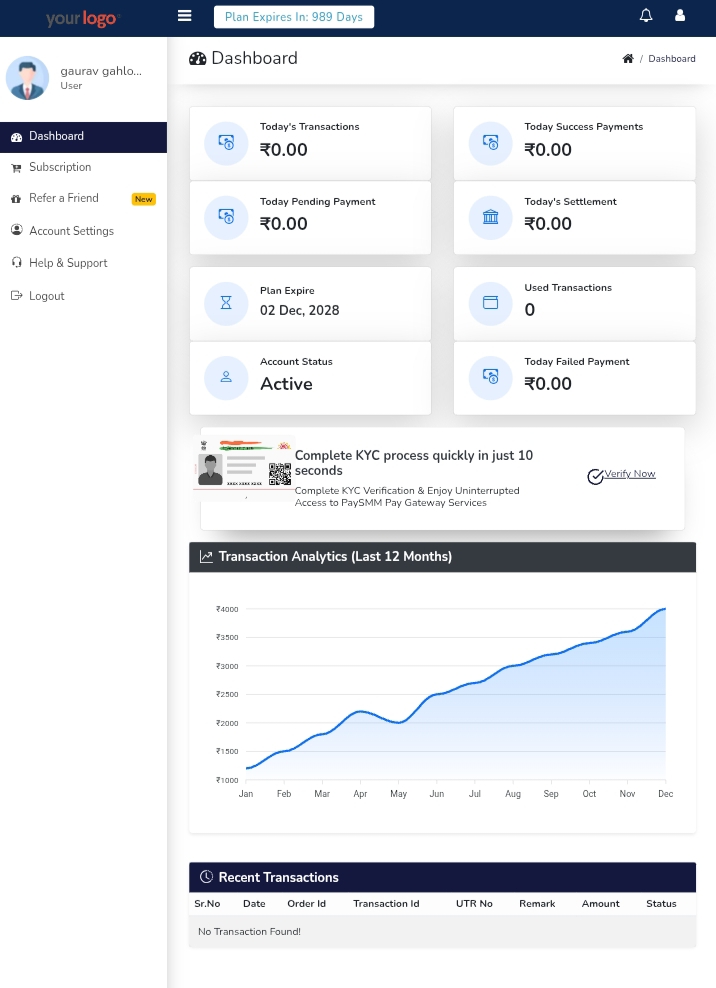
Best UPI Payment Gateway in India (2026) – Free & Fast Integration | SMMizo UPI
Introduction to UPI Payment Gateway
India is currently leading the global digital payments revolution, and UPI (Unified Payments Interface) is at the center of this transformation. From small vendors to large-scale enterprises, everyone is adopting UPI for faster, secure, and seamless transactions.
However, choosing the best UPI payment gateway in India is still one of the biggest challenges for businesses. Many platforms offer payment solutions, but they come with hidden issues like delayed settlements, payment holds, high transaction fees, and complex integrations.
This creates a serious problem for startups, freelancers, and online businesses that depend on instant cash flow.
In this complete guide, we will break down everything you need to know — from understanding UPI gateways to comparing top providers and selecting the best one for your business.
What is a UPI Payment Gateway?
A UPI payment gateway is a system that allows businesses to accept payments directly through UPI-based apps such as Google Pay, PhonePe, Paytm, and BHIM. It acts as a bridge between the customer and the merchant’s bank account.
Unlike traditional payment systems, UPI works in real-time, which means transactions are processed instantly without waiting time.
How UPI Payment Gateway Works
- Customer selects UPI as payment method
- Enters UPI ID or scans QR
- Approves payment in UPI app
- Amount is transferred instantly
This seamless process makes UPI one of the fastest-growing payment methods in India.
Why UPI is Dominating Digital Payments in India
UPI has transformed the way people pay online. Its rapid adoption is driven by multiple advantages:
- ⚡ Instant transactions (real-time payments)
- 💰 Zero or low transaction cost
- 📱 Mobile-first experience
- 🔒 Highly secure and regulated system
- 🌍 Accepted across India
Because of these benefits, businesses are now prioritizing UPI over cards and net banking.
Challenges with Traditional Payment Gateways
While many payment gateways exist, they come with several limitations that affect business performance:
- ❌ Payment holding (T+1 / T+2 settlement)
- ❌ High transaction fees
- ❌ Complex onboarding process
- ❌ Risk of account freeze
- ❌ Delayed payouts affecting cash flow
Modern Solution: Instant UPI Payment Gateway
To overcome these problems, modern solutions like SMMizo UPI provide a completely new approach:
- ✅ Instant payment directly to bank account
- ✅ No holding system
- ✅ Simple integration
- ✅ Full control over transactions
This makes it a powerful option for businesses that need speed, reliability, and control.
Types of UPI Payment Gateways
Understanding different types of gateways helps you choose the right one:
1. Aggregator-Based Gateway
Funds are first collected by the gateway and then transferred later.
2. Direct Bank Transfer Gateway
Funds go directly to merchant account instantly (Best option 🔥)
3. API-Based Gateway
Developers integrate payment APIs into websites/apps.
Which Type is Best for You?
If your priority is instant cash flow and zero delays, then direct bank transfer gateways like SMMizo UPI are the best choice.
🚀 Ready to Accept Instant Payments?
Switch to SMMizo UPI and receive payments instantly without any hold.
Top UPI Payment Gateways in India (2026) – Honest Comparison
If you are searching for the best UPI payment gateway, you will find dozens of options online. But the truth is — not all gateways are built the same.
Some are designed for large enterprises, some for startups, and some are built purely for flexibility and instant payments. Choosing the wrong one can cost you money, time, and customer trust.
In this section, we will break down the most popular UPI payment gateways in India with a practical, no-fluff comparison.
1. SMMizo UPI – Built for Instant Payments 🚀
SMMizo UPI is designed with one clear goal — give businesses complete control over their payments without delays.
Unlike traditional gateways, where your money is first held and then settled, SMMizo ensures that payments go directly to your bank account instantly.
- Instant payment directly to bank account
- No holding system
- Simple and fast integration
- Perfect for freelancers, startups, and small businesses
If you are just starting, you can also explore our UPI API Integration Guide to understand how to get started step-by-step.
2. Razorpay – Feature-Rich but Slower Settlements
Razorpay is one of the most popular payment gateways in India. It offers a wide range of features, including subscriptions, cards, and international payments.
However, the downside is settlement delay. In most cases, funds are settled in T+1 or T+2 days.
- Advanced features for large businesses
- Reliable infrastructure
- Settlement delay (major drawback)
- Possible account holds in some cases
If you want a faster alternative, check our detailed comparison in Razorpay vs SMMizo UPI.
3. Cashfree Payments – Instant Option with Conditions
Cashfree offers instant settlements, but it often comes with conditions such as approvals, account setup requirements, and business verification.
- Instant settlement (conditional)
- Good API support
- Setup complexity
- Verification required
You can also read our Best Free Payment Gateway in India guide to explore more options.
4. Paytm Payment Gateway – Brand Power with Higher Costs
Paytm is widely trusted in India, but its payment gateway can be expensive for small businesses.
- Strong brand trust
- Wide user base
- Higher transaction fees
- Limited flexibility
5. PhonePe Business – Simple but Limited
PhonePe is great for small merchants, but it lacks advanced features for scaling businesses.
- Easy setup
- Limited features
- Not ideal for developers
Quick Comparison Table
| Feature | SMMizo UPI | Razorpay | Cashfree | Paytm |
|---|---|---|---|---|
| Settlement Time | Instant 🔥 | T+1 / T+2 | Instant* | T+1 |
| Payment Hold | No ❌ | Yes ⚠️ | Sometimes | Yes |
| Direct Bank Transfer | Yes ✅ | No | Partial | No |
| Best For | Fast Payments | Enterprises | Developers | Brand Trust |
Hidden Truth About Payment Gateways (What Nobody Tells You)
Most blogs only talk about features, but they ignore real-world problems that businesses face.
- Hidden charges
- Account freeze risks
- Delayed settlements
- Complex onboarding
These issues are often discovered only after you start using the platform.
That’s why we created SMMizo — to remove these problems completely.
Why Instant Payment Matters More Than Features
Many business owners focus on features, dashboards, and analytics. But the real question is — how fast do you get your money?
Cash flow is the lifeline of any business. Even a one-day delay can create problems.
If your priority is speed and reliability, instant payment gateways clearly win.
Our Approach – Built for Real Businesses
We didn’t build SMMizo for big corporations. We built it for real people — freelancers, creators, small business owners, and developers.
People who don’t want to wait for their own money.
- No unnecessary complexity
- No delays
- No confusion
Just simple, fast, and direct payments.
Explore More Guides
💡 SMMizo UPI
"Instant Payments. Zero Hold. Full Control."
That’s not just a feature — that’s our promise.
Why SMMizo UPI is the Smart Choice for Modern Businesses
Choosing a payment gateway is not just a technical decision — it’s a business decision. The wrong choice can slow down your growth, while the right one can accelerate your success.
Most businesses realize this too late, after facing payment delays, account issues, or unexpected charges.
This is exactly why SMMizo UPI was created — to solve real problems, not just add features.

Modern digital payment systems powering businesses in India
The Psychology Behind Faster Payments
Let’s be honest — when you receive money instantly, it creates confidence. You feel in control of your business.
But when payments are delayed, even by one day, it creates doubt and frustration.
This is not just about money — it’s about trust, control, and business stability.
- ⚡ Instant payment = confidence
- ⏳ Delayed payment = uncertainty
- 🔒 Direct transfer = control
Traditional Gateways vs SMMizo UPI (Real Difference)
| Factor | Traditional Gateway | SMMizo UPI |
|---|---|---|
| Payment Flow | Held by gateway | Direct to bank 🔥 |
| Settlement Time | 1–2 Days | Instant |
| Control | Limited | Full control |
| Cash Flow | Delayed | Immediate |
Built for People Who Want Control
SMMizo is not built for large corporations with complex systems. It is built for people who want simplicity and speed.
- Freelancers who need instant income
- Small businesses managing daily expenses
- Developers building fast payment systems
- Creators selling digital products
If you fall into any of these categories, you can explore our Instant Payment Gateway Guide to understand how it works in real scenarios.
Real Business Impact of Instant Payments
Let’s look at a simple example:
If you receive ₹10,000 daily and your payment is delayed by 2 days, you are always waiting for ₹20,000.
Now imagine getting that money instantly — you can reinvest, scale ads, or manage operations without stress.
Referral System – Earn While You Grow 💰
SMMizo is not just a payment gateway — it’s also an earning opportunity.
With our referral system, you can invite others and earn commissions on every transaction they make.
- Share your referral link
- Bring users to the platform
- Earn passive income
- Track everything in dashboard
If you want to learn more, read our Referral Earning Guide.
Why Businesses Are Switching to SMMizo
- They are tired of payment delays
- They want full control
- They need faster cash flow
- They prefer simplicity over complexity
And most importantly — they want a system that works without friction.
Simple. Fast. Reliable.
At SMMizo, we believe technology should make life easier, not more complicated.
That’s why we focus on three things:
- ⚡ Speed
- 🔒 Security
- 🎯 Simplicity
🚀 SMMizo UPI
"Instant Payments. Zero Hold. Full Control."
Built for businesses that move fast.
What You Should Do Next
If you are serious about your business growth, it’s time to switch to a better payment system.
- Stop waiting for your money
- Start receiving payments instantly
- Take full control of your business cash flow
👉 Get started with SMMizo today and experience the difference.
How to Integrate UPI Payment Gateway in Your Website (Step-by-Step Guide)
Integrating a UPI payment gateway into your website might sound technical, but with the right approach, it becomes simple and efficient.
In this guide, we will walk you through the complete process — from account setup to live payments.
Step 1: Create Your Merchant Account
The first step is to register as a merchant on your selected payment gateway.
- Sign up using your email
- Complete basic details
- Verify your account
For faster onboarding, you can explore our Instant Payment Setup Guide.
Step 2: Get API Keys
After registration, you will receive API credentials:
- API Key
- Secret Key
- Webhook URL (optional)
These keys are required to connect your website with the payment system.
Step 3: Basic Payment Flow
Here’s how the payment process works technically:
- User clicks "Pay Now"
- Payment request is generated
- User completes payment via UPI
- Payment status is verified
- Success response is returned
Step 4: Sample Integration (PHP Example)
This generates a UPI payment link that users can open in any UPI app.
Step 5: QR Code Integration
You can also generate a QR code for payments:
- Convert UPI link into QR
- Display QR on checkout page
- User scans and pays instantly
This method is widely used for mobile-friendly payments.
Step 6: Payment Verification
Always verify payments before confirming orders.
- Use API response
- Check transaction ID
- Confirm payment status
Advanced Integration (For Developers)
If you are building a scalable system, you should implement:
- Webhook handling
- Database transaction storage
- Error handling system
- Retry logic for failed payments
Developers can also check our Full API Integration Guide for detailed implementation.
Common Integration Mistakes
- Not verifying payments
- Incorrect API usage
- Ignoring error handling
- Poor UI/UX in checkout
Avoiding these mistakes will ensure a smooth payment experience.
Best Practices for High Conversion
- Keep checkout simple
- Show trusted payment icons
- Use fast-loading pages
- Offer instant confirmation
You can also improve conversion by using our Payment Error Fix Guide.
Security Implementation
- Use HTTPS (SSL)
- Encrypt sensitive data
- Validate user input
- Monitor suspicious activity
Security is critical when handling financial transactions.
Why SMMizo Integration is Easier
SMMizo is designed for simplicity. Unlike complex gateways, it reduces unnecessary steps.
- Quick setup
- Minimal configuration
- Instant payment flow
- No complex approval process
⚡ Start Integration Today
Set up SMMizo UPI in minutes and start receiving payments instantly.
Scaling Your Payment System
Once your integration is complete, you can scale your system:
- Add multiple payment options
- Automate order processing
- Track analytics
- Expand globally
Payments are not just a feature — they are the backbone of your business growth.
How to Integrate UPI Payment Gateway in Your Website (Step-by-Step Guide)
Integrating a UPI payment gateway into your website is one of the most important steps in building a modern online business. A smooth integration ensures fast payments, better user experience, and higher conversion rates.
If you are new to integration or want a detailed technical breakdown, you can directly visit our complete UPI API Integration Documentation where we have explained everything in depth.
Step 1: Create Your Merchant Account
To begin, you need to create a merchant account on your payment gateway platform.
- Register using your email
- Fill business details
- Verify your account
For faster onboarding and instant payments, you can explore our Instant Payment Gateway Guide.
Step 2: Get API Credentials
Once your account is approved, you will receive API credentials:
- API Key
- Secret Key
- Webhook URL
These credentials are essential to connect your website with the payment system. If you are unsure how to use them, refer to our detailed API Integration Documentation.
Step 3: Understanding the Payment Flow
Before implementing, it’s important to understand how the payment flow works:
- User clicks "Pay Now"
- Payment request is generated
- User completes payment via UPI app
- Payment is verified
- Transaction is confirmed
This entire flow becomes much easier when using a system that supports instant payment without delays.
Step 4: Basic UPI Payment Integration (Example)
This simple code generates a UPI payment link. For advanced implementation like API-based transactions, callbacks, and automation, check our complete developer guide.
Step 5: QR Code Payment Setup
QR-based payments are widely used because they are fast and mobile-friendly.
- Generate UPI QR code
- Display it on checkout page
- Customer scans and pays instantly
This method is highly recommended for improving mobile conversion rates.
Step 6: Payment Verification (Critical Step)
Never skip payment verification. Always confirm the transaction before marking an order as successful.
- Check transaction ID
- Verify payment status
- Use API response or webhook
To implement proper verification, follow our UPI API Documentation step-by-step.
Advanced Integration for Developers
If you are building a scalable system, you should implement advanced features:
- Webhook handling
- Database transaction logging
- Error handling system
- Retry logic
Developers can directly jump into our advanced integration guide for complete implementation.
Common Integration Mistakes
- Not verifying payments
- Using incorrect API keys
- Ignoring error handling
- Complex checkout design
You can also fix these issues using our Payment Errors & Solutions Guide.
Best Practices for High Conversion
- Keep checkout simple
- Use fast-loading pages
- Provide instant confirmation
- Enable mobile-friendly payments
For more optimization tips, check our instant payment strategy guide.
Security Implementation
- Use HTTPS (SSL)
- Encrypt sensitive data
- Validate user inputs
- Monitor transactions
Security is essential for building user trust and preventing fraud.
Why SMMizo Integration is Better
SMMizo simplifies the entire process by removing unnecessary complexity.
- Quick setup
- Instant payment flow
- No holding system
- Minimal configuration
🚀 Start Integration Now
Follow our documentation and start accepting payments instantly with SMMizo UPI.
Next Step
Once your integration is complete, you can move forward to advanced optimization, referral earnings, and scaling your payment system.
👉 Continue reading our Referral System Guide to unlock additional income opportunities.